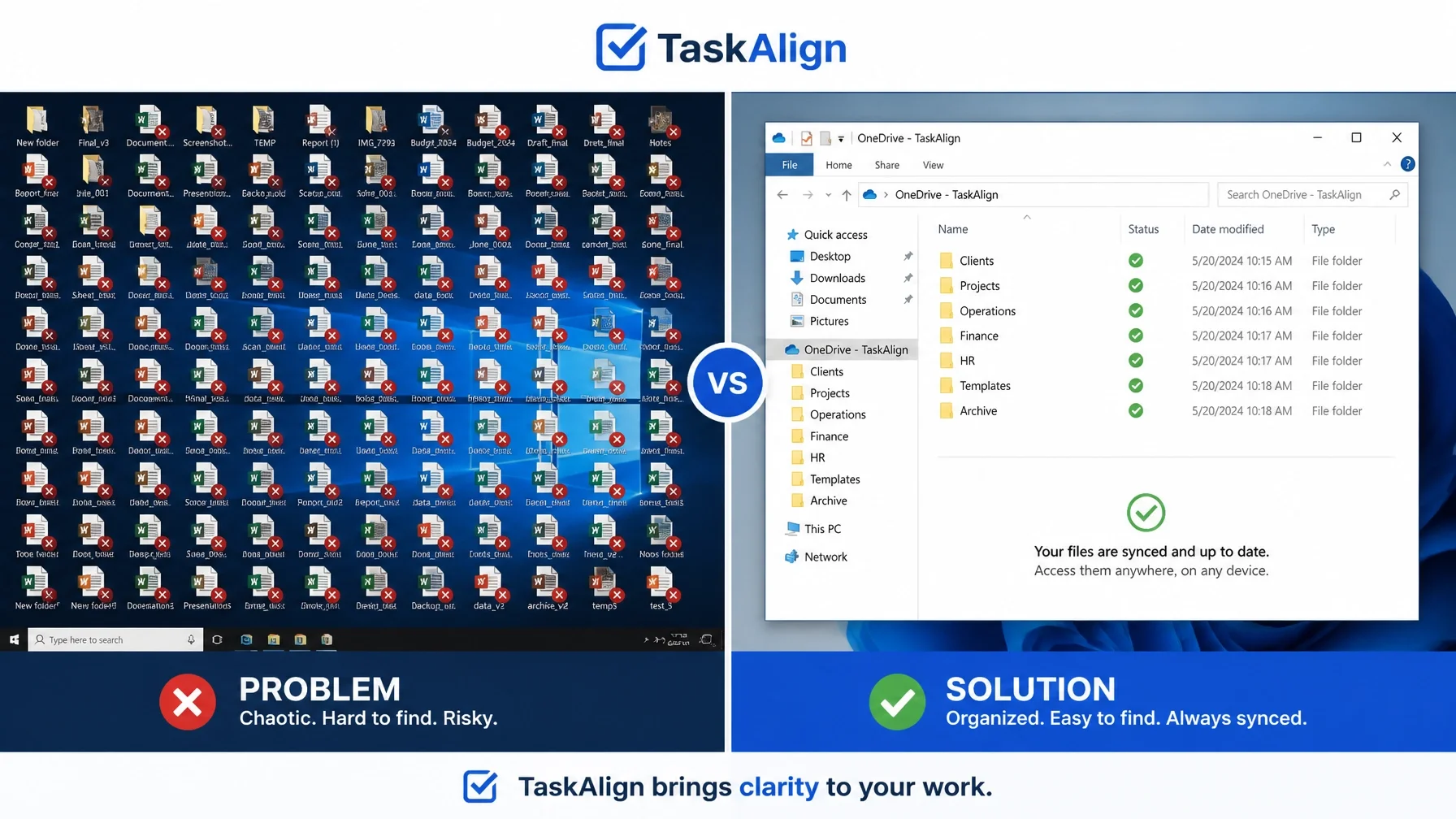
10 Signs Your OneDrive Needs Professional Help
OneDrive problems have a way of turning a normal workday into a frustrating one fast. What should be simple starts taking too long, and suddenly you are wasting time chasing files instead of getting your work done.
If that sounds familiar, call or text me at (209) 322-9702. I work directly with my clients, so you get me, Anita Balint — not a call center, not a ticket number, and not a different person every time.
I’m based in Oakdale, California, with remote support available nationwide and local on-site help in Oakdale, Modesto, Stockton, Turlock, Riverbank, Ripon, Tracy, and surrounding Central Valley communities. If you need help with Microsoft 365 support, computer support, or just want to start at the homepage, I make it simple: you tell me what is happening, I choose the simplest way to help, and I fix it and explain what matters.
1. Your Files Do Not Show Up Where You Expect Them
You save something important, assume it will be there later, and then it is not. That gets stressful fast, especially when you need to send something to a client or pull up a document during a meeting.
How I can help: I help get OneDrive and Microsoft 365 working the way they should so your files are where you expect them to be. You do not need to know the technical name for the problem. Just tell me what is happening, and I will take it from there.
2. Your Team Starts Wasting Time Hunting for Documents
When OneDrive is not reliable, people stop trusting it. They start checking laptops, desktops, email attachments, and old folders just to find the latest version of a file.
How I can help: I can sort that out so your team can stop digging around for documents and get back to work. If your business uses OneDrive, Outlook, business email, or Microsoft 365, this is exactly the kind of thing I help with.

3. Simple Admin Work Turns Into a Frustrating Time Sink
A job that should take five minutes suddenly takes thirty. Sending invoices, updating proposals, sharing forms, or saving signed documents becomes harder than it should be.
How I can help: I fix these kinds of everyday file and Microsoft 365 problems so your day is not built around workarounds. I have 20+ years of hands-on experience, and I focus on the simplest path to getting things working again.
4. You Feel Nervous Every Time You Need an Important File
If you hesitate before opening, sharing, or relying on a file, that is a real problem. You should not have to wonder whether your documents will be there when you need them.
How I can help: I help make your setup dependable again so you can stop second-guessing it. Whether the issue involves OneDrive, SharePoint, Teams, Outlook, or other Microsoft 365 apps, I can step in and handle it.
5. Missed Deadlines Start Feeling Too Close for Comfort
When files are not dependable, deadlines get harder to hit. Projects get delayed, work piles up, and you lose time trying to recover.
How I can help: I can get things back on track without turning it into a bigger ordeal than it needs to be. If you want help now, call or text me at (209) 322-9702. I offer one-time, as-needed, or ongoing support, with straightforward billing and no long-term contract required.

6. Client Communication Starts Feeling Risky
When you cannot confidently access, update, or share the files tied to client work, everything feels harder. That pressure gets old fast when you are already busy.
How I can help: I handle the file sync, Outlook, email, and Microsoft 365 issues behind the scenes so you can respond faster and feel more confident. You can read more about that on my Microsoft 365 support page.
7. Your Business Feels Less Organized Than It Really Is
Even if you do good work, unreliable file access can make everything feel scattered. It gets harder to trust your setup and harder to keep things running smoothly.
How I can help: I can clean things up and make the day-to-day side of your systems easier to work with. If the issue is broader than OneDrive and also involves Windows, a slow computer, popups, cleanup, or general computer problems, I can help with that too through my computer support services.
8. Workarounds Start Becoming the Way You Operate
When OneDrive is not dependable, people start improvising. They resend files, save extra copies, text themselves documents, or avoid using the system altogether.
How I can help: If workarounds are becoming normal, it is time to get it handled properly. I help business clients with Microsoft 365 setup and migration, Outlook and business email, OneDrive and SharePoint, Teams and Office apps, plus security and administration. I also help home users with slow computers, email problems, popups and security, new computers, files and backups, and Windows help.

9. You Are Losing Too Much Time to Trial and Error
If you keep trying random things and hoping it clears up on its own, you are already losing time. The longer it drags on, the more it gets in the way of everything else you need to do.
How I can help: You do not have to figure it out yourself. Just call or text me at (209) 322-9702 and tell me what is happening. I will choose the simplest way to help, fix the problem, and explain what matters in plain English.
10. You Are Ready for Your Systems to Just Work
At a certain point, the real issue is not one file or one bad day. You are just tired of dealing with it and want your systems to work the way they should.
How I can help: If you are in Modesto, Stockton, Oakdale, Turlock, Riverbank, Ripon, Tracy, or nearby Central Valley communities, I can take this off your plate. I’m based in Oakdale, and I offer remote support nationwide as well as local on-site support in parts of Stanislaus and San Joaquin Counties.
Stop Fighting Your Technology: Start Using It
You do not need a bunch of technical jargon. You need your files working again so you can get back to your day.
I work directly with my clients, and I keep support simple. No call center. No ticket numbers. No getting passed around. If OneDrive is causing problems, I can help with Microsoft 365 support, computer support, and other everyday tech issues through TaskAlign.
Remote support is billed in 6-minute increments with no one-hour minimum. On-site visits have a one-hour minimum. You can call me for one-time help, as-needed support, or ongoing support.
I provide computer support in:
Modesto
Stockton
Turlock
Oakdale
Riverbank
Ripon
Tracy
Ready to stop wasting time on OneDrive problems?
Call or text me at (209) 322-9702 for help in Modesto, Stockton, Oakdale, Turlock, Riverbank, Ripon, Tracy, and surrounding Central Valley communities, or for remote support anywhere nationwide. Let’s get your files working the way they should again.